JWT errors
To ensure proper authentication with Embedded Wallets, the JWT header must provide the kid field, while the payload data must provide the iat field.
When configuring Embedded Wallet's custom authentication, you may encounter JWT errors. Below is a list of these errors and the necessary steps to resolve them:
- Invalid JWT verifiers ID field: Error occurred while verifying params could not verify identity
- Failed to verify JWS signature: Error occurred while verifying params unable to verify JWT token
- Duplicate token: Could not get result from Torus nodes, duplicate token found
- Expired token: Error occurred while verifying the parameter's time signed is more than 1m0s ago
- Mismatch JWT Validation field
- Refresh Tokens?
Invalid JWT verifiers ID field
Error occurred while verifying params could not verify identity
"Error occurred while verifying params could not verify identity" can arise when the verifierIdField of extraLoginOptions is different from the one you have set up during the creation of Verifiers (JWT Verifiers ID) on the Embedded Wallets dashboard.
This is the JWT Verifiers ID field on the Verifier Modal of the Embedded Wallets dashboard:
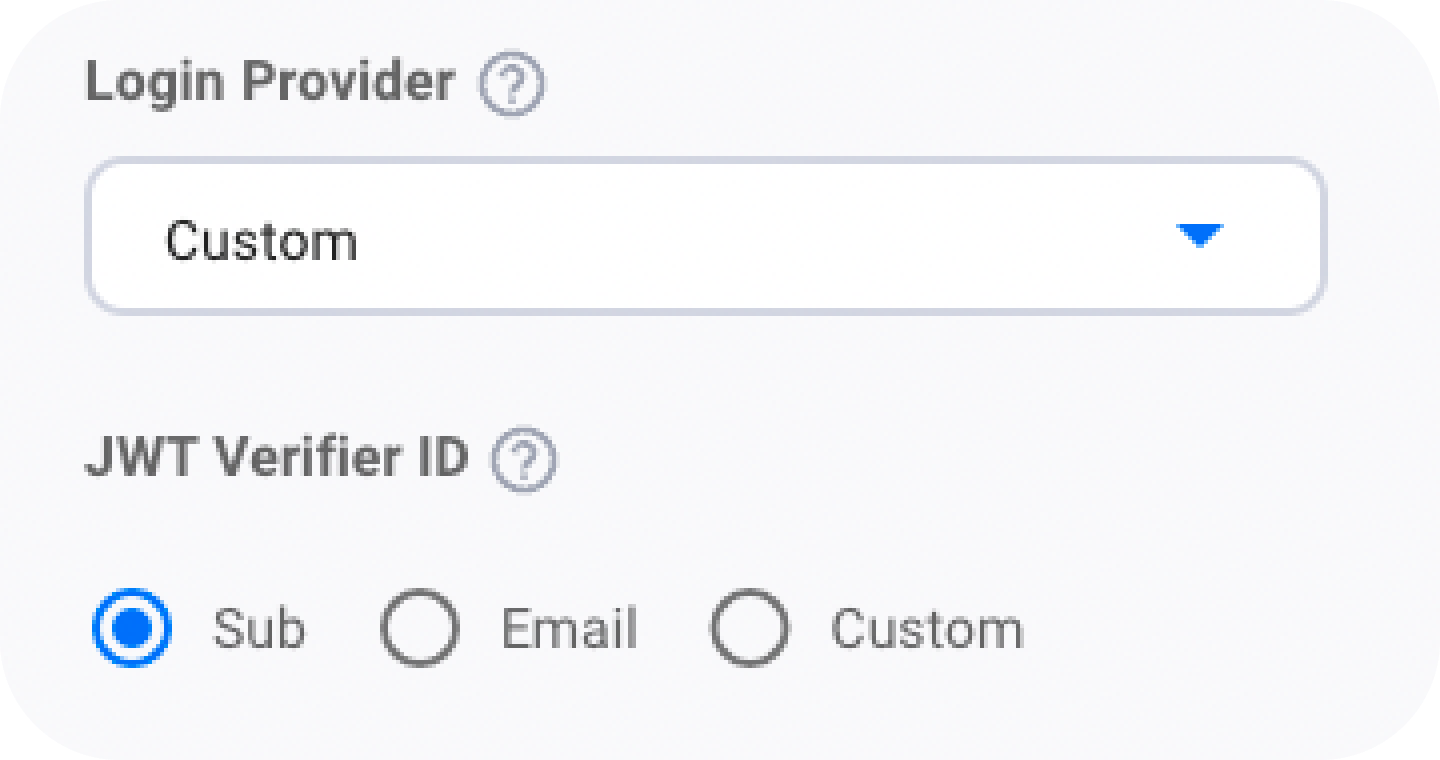
Ensure, this matches your code:
import { WALLET_ADAPTERS, CHAIN_NAMESPACES } from '@web3auth/base'

await web3auth.connectTo(WALLET_ADAPTERS.AUTH, {
  loginProvider: 'jwt',
  extraLoginOptions: {
    domain: 'YOUR-AUTH0-DOMAIN',
    verifierIdField: 'sub', // <-- This is the JWT Verifiers ID field.
    response_type: 'token',
    scope: 'email profile openid',
  },
})
Failed to verify JWS signature
Error occurred while verifying params unable to verify JWT token
"Error occurred while verifying params unable to verify jwt token" could arise because of the following reasons:
-
The verifier for your AuthAdapter might be wrong. Check to ensure the
verifierfield is set correctly. -
The JWT is not signed with the correct key (JWK).
-
The JWKS endpoint is not reachable or doesn't return a valid JWK that was used to sign the JWT.
-
The JWKS endpoint is incorrect on the Embedded Wallets dashboard. Double check to confirm the correct JWKS endpoint.
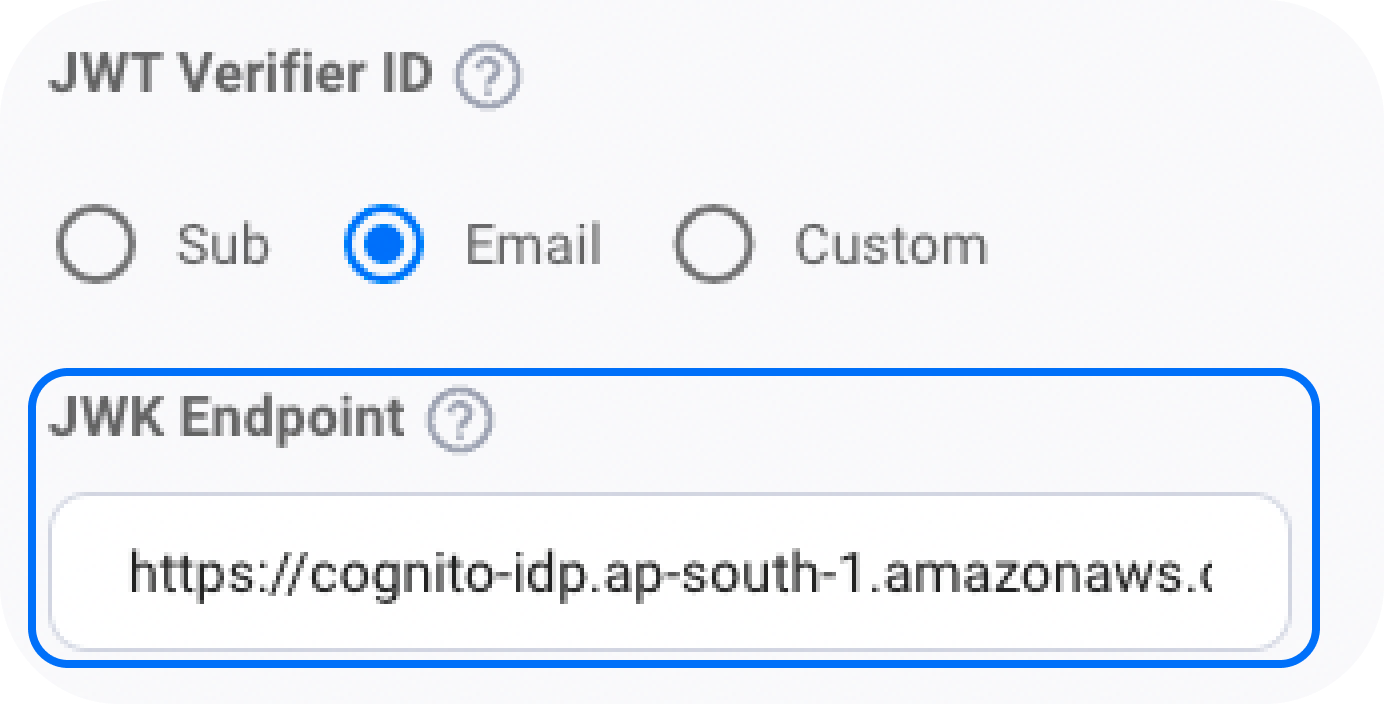
-
The JWKS is missing the
kidfield. -
The
kidpresent in the JWT header is not present in the JWKS.
Embedded Wallets (Web3Auth) uses the JWKS to:
- Fetch the provider’s public keys
- Find the correct key using the JWT’s
kid - Verify the JWT’s signature
sample jwks:
{
  "keys": [
    {
      "kty": "RSA",
      "e": "AQAB",
      "use": "sig",
      "kid": "YOUR-KID", // <-- This is the kid.
      "n": "YOUR-N",
      "alg": "RS256" // <-- This is the algorithm.
    }
  ]
}
sample jwks endpoint: https://www.googleapis.com/oauth2/v3/certs
Duplicate token
Could not get result from Torus nodes duplicate token found
"Could not get result from torus nodes Duplicate token found" error is thrown when the JWT is sent twice in the same request.
await web3auth.connectTo(WALLET_ADAPTERS.AUTH, {
  loginProvider: 'jwt',
  extraLoginOptions: {
    id_token: 'ID_TOKEN', // <-- JWT should be unique for each request.
    verifierIdField: 'sub',
  },
})
Expired token
Error occurred while verifying paramstimesigned is more than 1m0s ago
Embedded Wallets accepts only those JWTs whose iat is less than the current time and is not greater than 60s from current time. Regardless of the exp field of the JWT.
- In short, the JWT is considered expired if the
iatis greater than 60 s from current time.
"Error occurred while verifying paramstimesigned is more than 1m0s ago 2022-02-24 13:46:05 +0000 UTC" error could be because:
- JWT is expired
- The JWT's
expfield is less than the current time - The JWT's
iatfield is greater than60sfrom current time
Mismatch JWT validation field
This error occurred when the validation field in the JWT is not matching with the validation field entered during the creation of Verifiers on the Embedded Wallets dashboard.
This is the JWT Validation field on the Verifier Modal of the Embedded Wallets configuration:
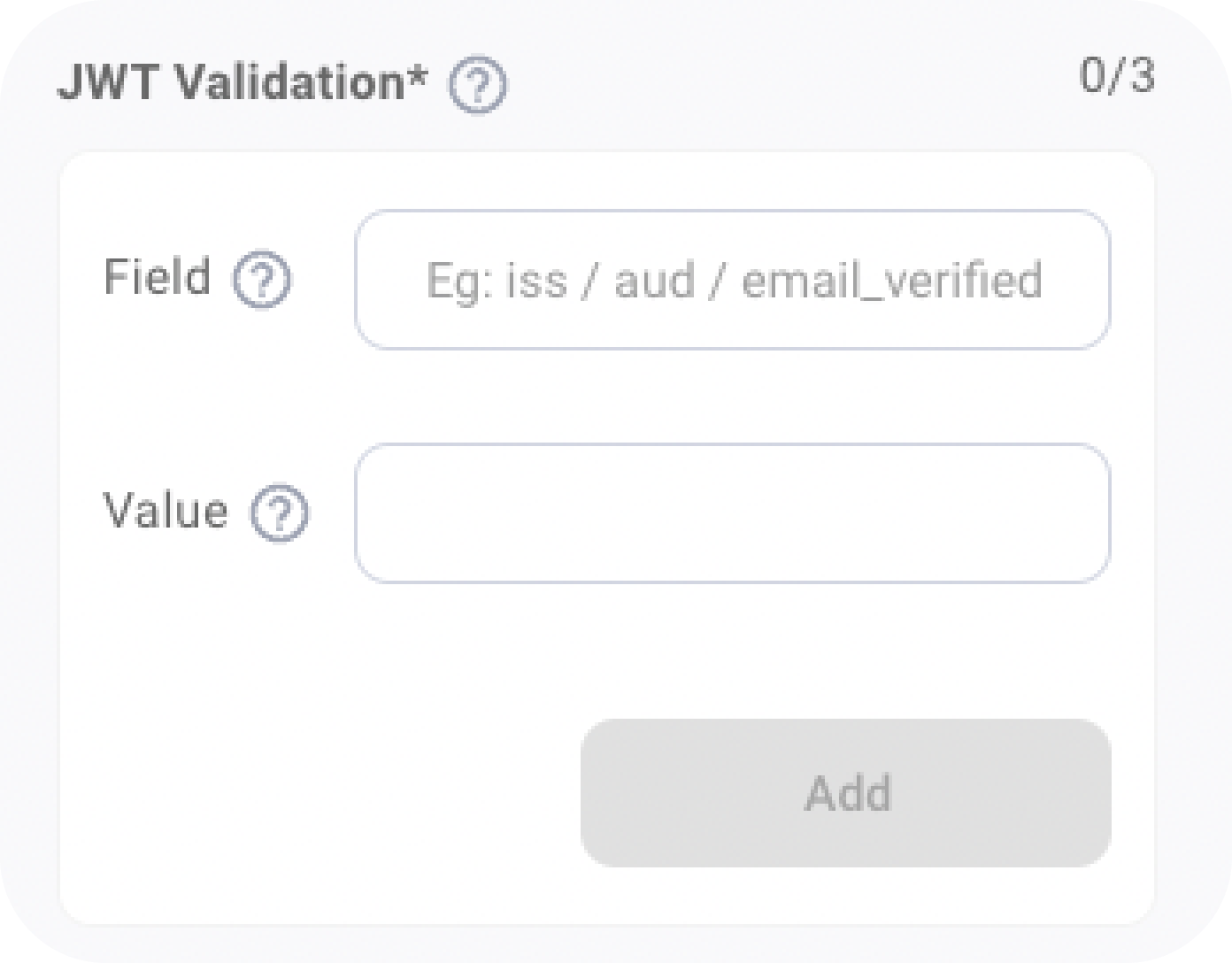
Ensure, these fields are present in the JWT Payload and match with the JWT.
Refresh tokens not supported
Embedded Wallets does not support refresh tokens to maintain longer sessions, instead we offer session management.
During login with Embedded Wallets, pass the sessionTime parameter. This allows users to stay authenticated with Embedded Wallets for up to 1 day by default or a maximum of 30 days until they log out or their session data is cleared.
A refresh token is a unique token that can be used to obtain additional access tokens from an Authentication Service Provider. With a refresh token, one can get a new id_token to make another login request. This enables users to maintain longer authentication sessions without the need for constant re-login.
While Embedded Wallets, verifies the validity of the id_token and compares its payload value to the JWKS provided by either the Auth provider or your custom JWKS, it does not support refresh. Although we do not support refresh tokens to maintain longer sessions, we do offer session management. Session management supports
dapps to check and maintain existing sessions with Embedded Wallets.